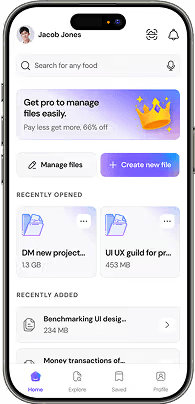
Master Figma for Modern UI/UX Product Teams
Learn the world's leading design platform with deep dives into Auto Layout 5.0, variable tokens, component properties, Dev Mode, and interactive prototyping.
Why Figma Powers Modern Digital Product Design
Figma revolutionized product design by moving from isolated desktop files to an accessible, collaborative cloud environment that connects designers and engineers in real time.
Real-Time Cloud Collaboration
Multiple product designers, managers, and frontend developers can co-create, leave contextual canvas comments, and iterate simultaneously inside single live source-of-truth files.
Seamless Dev Mode Handoff
Dev Mode translates Figma frames into clean CSS, Tailwind values, and iOS/Android tokens with component spec annotations and direct code asset exports.
Scalable Enterprise Design Systems
Publish shared team libraries where master component variants, typography styles, and color tokens cascade updates instantly across hundreds of project screens.
6 Pillars of Modern Figma Mastery
Move beyond basic drawing to building modular, code-ready UI systems that adapt to any screen size and theme.
Auto Layout 5.0 & Fluid Constraints
Nest horizontal and vertical auto-layout stacks, manage min/max bounds, wrap behaviors, and absolute positioned elements for 100% responsive multi-device frames.
- Hug, Fill, and Fixed constraint hierarchies
- Flex wrap containers mapping to CSS Flexbox
- Absolute positioning within responsive stacks
Variables & Multi-Mode Design Tokens
Implement color modes (Light/Dark themes), density spacing variables, and string tokens that sync seamlessly with frontend CSS variables.
- Light & Dark mode variable collections
- Spatial spacing and border radius token scales
- Direct token export to CSS/JSON variables
Component Variants & Properties
Build scalable master components using boolean properties, instance swap properties, text props, and interactive hover/active variant states.
- Boolean visibility and text property toggles
- Instance swap properties for icons and slots
- Interactive component states and nested triggers
Advanced Interactive Prototyping
Create high-fidelity prototype flows with smart animate transitions, keyboard triggers, conditional logic, and interactive overlays.
- Multi-frame Smart Animate transitions
- Interactive variable conditionals & expressions
- Overlay positioning and drag/swipe gestures
Atomic Design System Architecture
Structure scalable UI kits with atomic design hierarchy (Foundations, Atoms, Molecules, Organisms, Templates) across team workspaces.
- Atomic organization & component documentation
- Version control, branch reviews & publishing
- Multi-brand library structuring and inheritance
Figma AI, Plugins & Workflow Automation
Accelerate production velocity using generative AI prompts, automated accessibility contrast checkers, and custom community plugins.
- Automated WCAG AAA accessibility auditing
- Batch layer renaming and auto-documentation
- SVG vector optimization and code export

Build Scalable Design Libraries That Sync With Production Code
Learn how global engineering teams rely on atomic Figma libraries to accelerate UI development velocity by 3x. Master token naming conventions, version control, and multi-brand publishing.
UI/UX Design Track
Connect your Figma skills to complete UX research case studies.
Graphic Design
Master typographic rules, color theory, and vector identity.
Video Tutorials
Watch step-by-step Auto Layout 5.0 and component tutorials.
Design Insights Blog
Read deep dives on design tokens and component systems.
Transform Your Design Career With Sajuxly
Master UI/UX Design, Figma Auto Layout, and Graphic Design through practical, project-based courses and 1-on-1 mentorship.